浏览器中手动修改cookie的有效期
网站可以使用Cookie验证身份,从而可以实现关闭游客访问。
作为用户,若网站关闭了游客访问,且Cookie到期以后,就无法继续访问该网站。
可以在浏览器客户端手动设置Cookie的过期时间,从而延长登录有效期。
以Chrome浏览器为例,按F12打开开发者工具,找到网站Cookie手动修改过期时间。

Linux/macOS bash/Windows Git Bash终端
export https_proxy=http://127.0.0.1:7890;export http_proxy=http://127.0.0.1:7890;export all_proxy=socks5://127.0.0.1:7890 设置环境变量curl -verbose ip.gs 命令进行检查是否设置成功。1 | export https_proxy=http://127.0.0.1:7890;export http_proxy=http://127.0.0.1:7890;export all_proxy=socks5://127.0.0.1:7890 |
Windows CMD终端
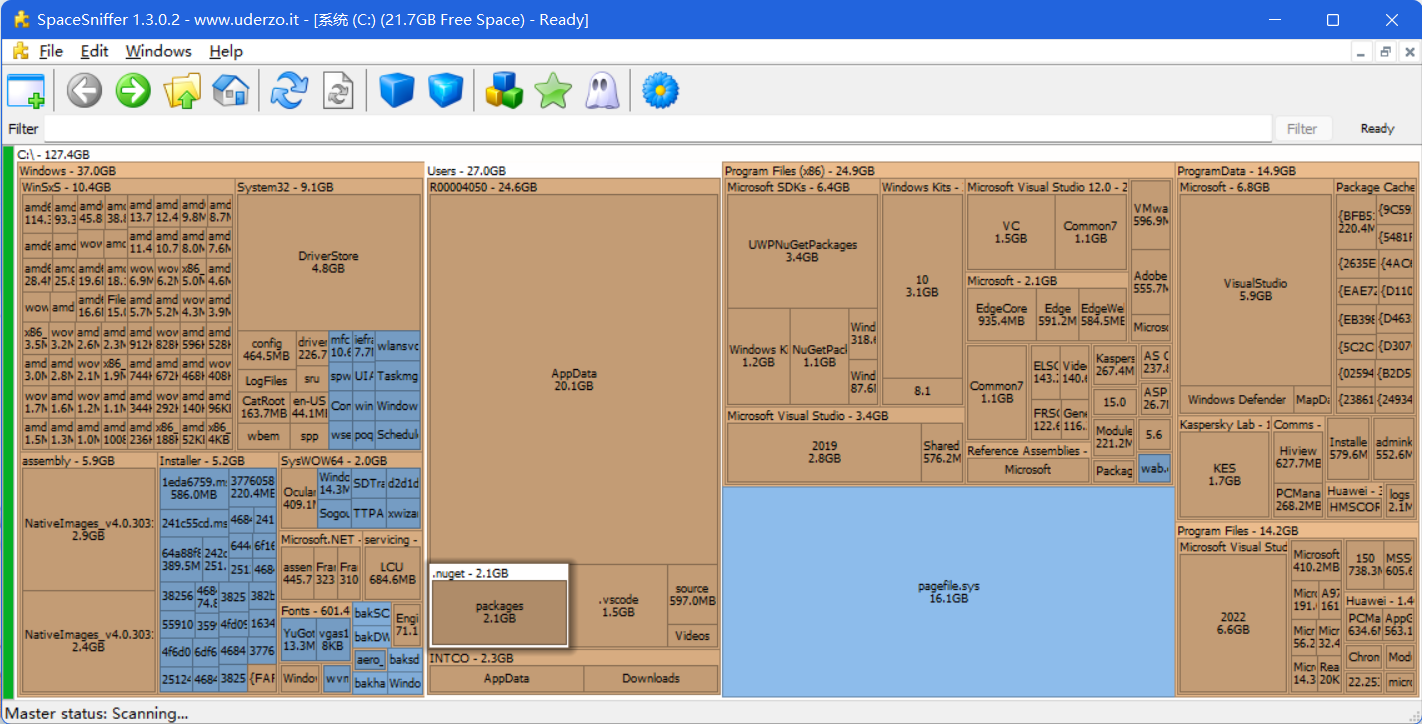
set http_proxy=http://127.0.0.1:7890 & set https_proxy=http://127.0.0.1:7890 设置环境变量curl -vvvk https://google.com 命令进行检查是否设置成功。三款软件、按顺序使用即可,无损移动C盘文件至其他盘,不影响使用。
最近公司网络出毛病老是隔段时间就自动断开连接,写了这个批处理脚本可以自动检测网络状态、断网自动重连WiFi,并记录断网重连日志。
JavaScript 在传递参数时,其实是一个数组,其实所有的参数都会被装载到函数内部一个叫作 arguments 的数组里面。
代码示例:
1 | <html> |
如上所示,即使在定义函数 add 时,没有声明参数,在调用时传入任意参数都是会被装载到 arguments 数组的。
只是需要注意的是,只能使用 for 循环遍历 arguments ,不能在其上使用 forEach 遍历(会报错,不存在 forEach )。
Data parallelism refers to scenarios in which the same operation is performed concurrently (that is, in parallel) on elements in a source collection or array. In data parallel operations, the source collection is partitioned so that multiple threads can operate on different segments concurrently.
The Task Parallel Library (TPL) supports data parallelism through the System.Threading.Tasks.Parallel class. This class provides method-based parallel implementations of for and foreach loops (For and For Each in Visual Basic). You write the loop logic for a Parallel.For or Parallel.ForEach loop much as you would write a sequential loop. You do not have to create threads or queue work items. In basic loops, you do not have to take locks. The TPL handles all the low-level work for you. For in-depth information about the use of Parallel.For and Parallel.ForEach, download the document Patterns for Parallel Programming: Understanding and Applying Parallel Patterns with the .NET Framework 4. The following code example shows a simple foreach loop and its parallel equivalent.
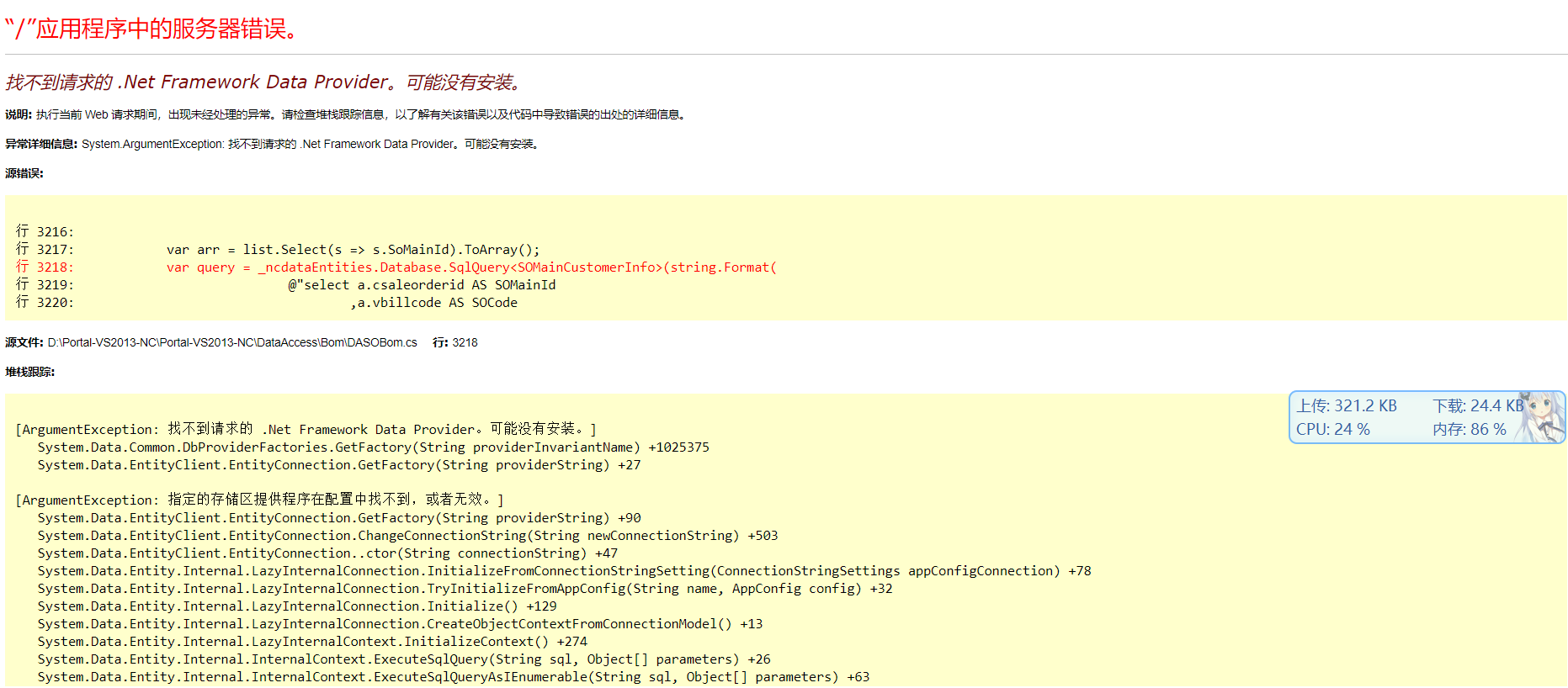
解决错误信息:找不到请求的 .Net Framework Data Provider。可能没有安装
U盘做好启动盘后,我们要从电脑上按快捷键来设置从U盘启动电脑,而不同的电脑快捷键是不同的,所以如果你感觉到设置BIOS比较麻烦困难,根据你的电脑类型,选择热键,直接启动一键U盘装系统工具(重要提醒:选择热键前,请先插入U盘)
| 组装机主板 | 组装机主板 | 品牌笔记本 | 品牌笔记本 | 品牌台式机 | 品牌台式机 |
|---|---|---|---|---|---|
| 主板品牌 | 启动按键 | 笔记本品牌 | 启动按键 | 台式机品牌 | 启动按键 |
| 华硕主板 | F8 | 联想笔记本 | F12 | 联想台式机 | F12 |
| 技嘉主板 | F12 | 宏基笔记本 | F12 | 惠普台式机 | F12 |
| 微星主板 | F11 | 华硕笔记本 | ESC | 宏基台式机 | F12 |
| 映泰主板 | F9 | 惠普笔记本 | F9 | 戴尔台式机 | ESC |
| 梅捷主板 | ESC 或 F12 | 联想 Thinkpad | F12 | 神舟台式机 | F12 |
| 七彩虹主板 | ESC 或 F11 | 戴尔笔记本 | F12 | 华硕台式机 | F8 |
| 华擎主板 | F11 | 神舟笔记本 | F12 | 方正台式机 | F12 |
| 斯巴达卡主板 | ESC | 东芝笔记本 | F12 | 清华同方台式机 | F12 |
| 昂达主板 | F11 | 三星笔记本 | F12 | 海尔台式机 | F12 |
| 双敏主板 | ESC | IBM 笔记本 | F12 | 明基台式机 | F8 |
| 翔升主板 | F10 | 富士通笔记本 | F12 | ||
| 精英主板 | ESC 或 F11 | 海尔笔记本 | F12 | ||
| 冠盟主板 | F11 或 F12 | 方正笔记本 | F12 | ||
| 富士康主板 | ESC 或 F12 | 清华同方笔记本 | F12 | ||
| 顶星主板 | F11 或 F12 | 微星笔记本 | F11 | ||
| 铭瑄主板 | ESC | 明基笔记本 | F9 | ||
| 盈通主板 | F8 | 技嘉笔记本 | F12 | ||
| 捷波主板 | ESC | Gateway 笔记本 | F12 | ||
| Intel 主板 | F12 | eMachines 笔记本 | F12 | ||
| 杰微主板 | ESC 或 F8 | 索尼笔记本 | ESC | ||
| 致铭主板 | F12 | ||||
| 磐英主板 | ESC | ||||
| 磐正主板 | ESC | ||||
| 冠铭主板 | F9 |